
How the menu works
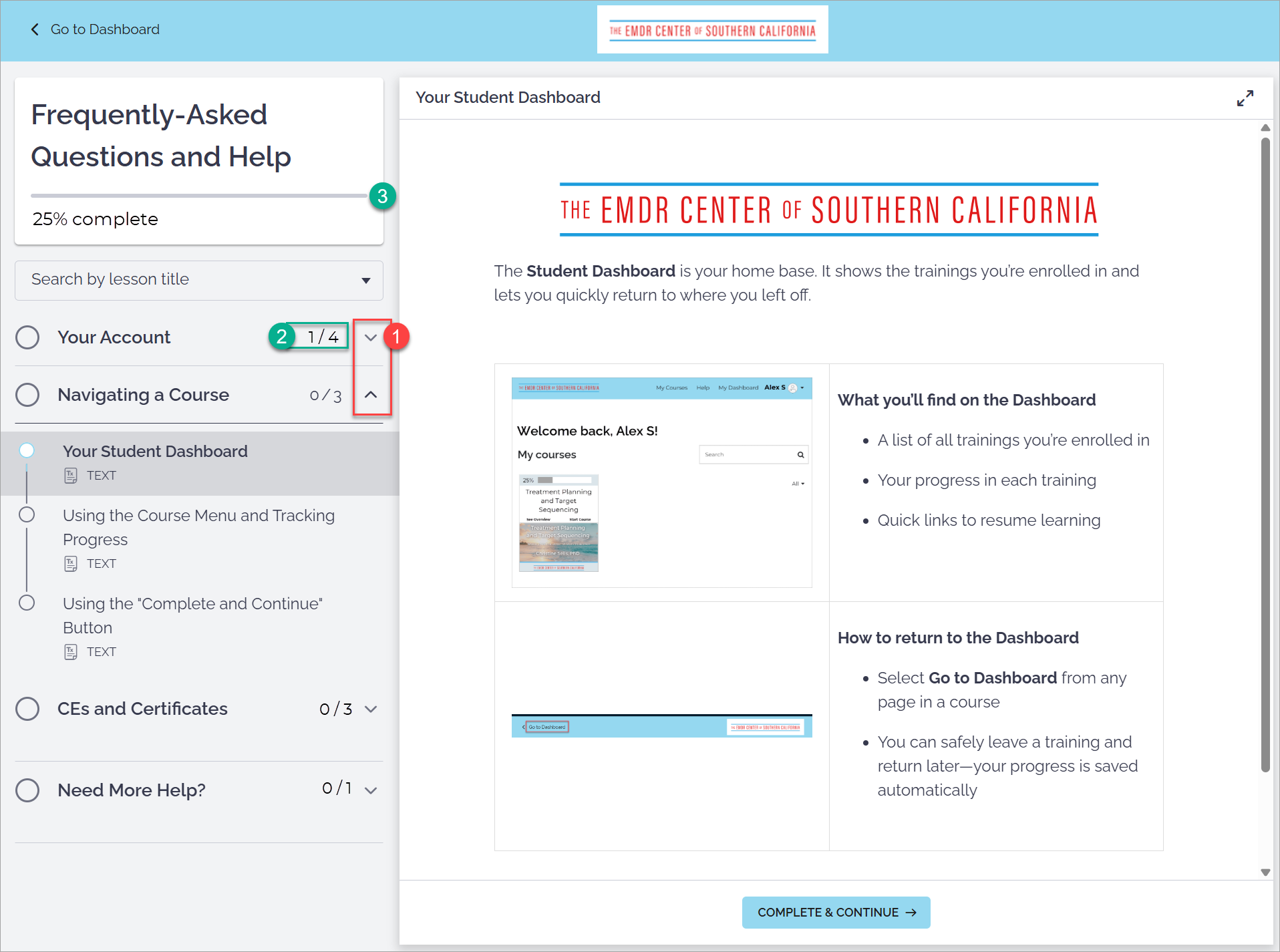
The menu appears on the left side of the screen when you’re inside a training
Sections expand and collapse as you move through the material [1]
You can jump to completed sections at any time
Tracking your progress
Completed items are marked automatically [2]
Progress updates as you move through the training [3]
You can leave and return without losing your place